
WhatsApp has become an important way for businesses to talk with customers. People use it to ask about products, request prices, book services, and get support.
For many small businesses, the WhatsApp Business App is enough to manage these conversations. But when more employees start handling customer messages, businesses may need better ways to track leads, assign work, and manage follow-ups.
This is where WhatsApp CRM software can help.
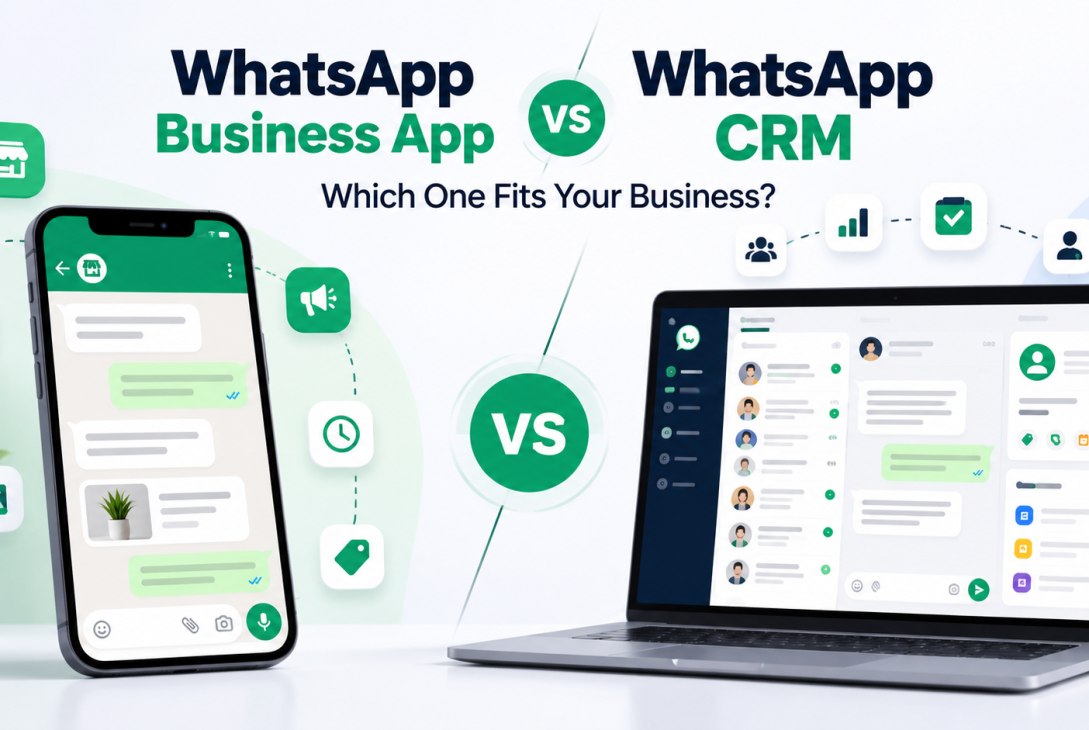
So, what is the difference between WhatsApp CRM and WhatsApp Business App? Which one should your business choose?
In this guide, we compare both options, explain their features and costs, and help you decide what makes sense for your business.
Quick Answer: WhatsApp CRM vs WhatsApp Business App
WhatsApp Business App is a free business messaging application with tools such as business profiles, quick replies, greeting messages, catalogs, and chat organization.
WhatsApp CRM is software that connects WhatsApp conversations with customer management tools. Depending on the provider, it may include a shared team inbox, lead tracking, follow-up reminders, automation, and reports.
The WhatsApp Business App is often suitable for simple customer messaging. A WhatsApp CRM may be more useful when a business needs structured sales and support workflows.
Neither option is automatically better for every business.
What Is WhatsApp Business App?
WhatsApp Business App is a messaging application made for business communication. It helps businesses create a professional profile and communicate directly with customers.
Small shops, freelancers, local service providers, and home businesses can use it without setting up a separate CRM system.
Main Features of WhatsApp Business App
-
- Business Profile: Share your business name, description, contact details, and website.
- Quick Replies: Save answers to common customer questions.
- Greeting Messages: Welcome customers when they start a conversation.
- Away Messages: Inform customers when your business is unavailable.
- Catalog: Display products and services inside WhatsApp.
- Chat Organization: Use available chat management tools to organize customer conversations.
- Linked Devices: Access the business account on supported linked devices, subject to account and product limits.
For example, a local bakery may use WhatsApp Business to receive cake orders, share prices, and confirm delivery details.
If the bakery owner handles most messages and can easily manage the orders, a separate CRM may not be necessary.
What Is WhatsApp CRM?
WhatsApp CRM is software that helps businesses manage WhatsApp communication along with customer information and business activities.
CRM stands for Customer Relationship Management.
A WhatsApp CRM can help a company manage conversations across a sales or support team instead of keeping important customer information only inside individual chats.
Depending on the CRM, businesses may be able to assign customer conversations, save lead details, set reminders, automate replies, and review team activity.
For example, a real estate company may receive enquiries about different properties. One employee answers questions about pricing, another handles site visits, and a manager checks pending leads.
A CRM can help the company keep these activities organized.
Many WhatsApp CRM products use the official WhatsApp Business Platform for messaging. This platform is different from the regular WhatsApp Business App.
It is also important to know that WhatsApp CRM is not one standard product. Each CRM provider may offer different features, integrations, support, and pricing.
WhatsApp CRM vs WhatsApp Business App: Main Differences
The biggest difference is not just the number of messages you receive. It is how your business needs to manage those messages and what happens after each conversation.
1. Managing Customer Conversations
WhatsApp Business App is useful for everyday customer messaging. Employees can read messages, reply to customers, and organize chats using the available tools.
A WhatsApp CRM may add more structure to this process.
For example, a CRM may show whether a conversation is new, assigned to a team member, waiting for a customer reply, or completed.
This can help when customers contact a business several times before making a decision.
2. Working With Multiple Employees
WhatsApp Business App supports linked devices. This means a small team may not need CRM software simply because more than one person wants to use the account.
However, some businesses need more than device access.
They may need to assign conversations to specific employees, manage user permissions, and check who is handling each customer.
A CRM with a shared inbox can support these activities.
To understand this workflow, read our guide on managing WhatsApp customer conversations with a shared team inbox.
3. Lead Tracking and Follow-Ups
A lead is a person who shows interest in a product or service.
Imagine a customer asking a website development company for a quotation. The company sends the price, but the customer wants a few days to decide.
With WhatsApp Business App, the employee can continue the conversation and organize the chat manually.
With a CRM, the employee may be able to save the lead, record the quotation status, assign a follow-up date, and add notes.
For example, the lead may move through these stages:
- New Enquiry
- Contacted
- Quotation Sent
- Follow-Up Required
- Converted or Closed
This helps sales teams understand which customers need attention.
However, a CRM cannot guarantee more sales. Employees still need to respond clearly, provide useful information, and follow up at the right time.
4. Automation and Chatbots
Both options can help businesses save time, but they offer different types of automation.
WhatsApp Business App includes basic messaging tools such as greeting messages, away messages, and quick replies.
Some WhatsApp CRM platforms offer additional automation, such as chatbots, lead assignment rules, reminders, and workflow integrations.
For example, a coaching institute may receive messages about course fees, admission dates, and class timings.
A chatbot could ask which course the student is interested in, collect basic information, and route the enquiry to the admission team.
These workflows depend on the CRM provider and the integration being used.
Businesses should also give customers a clear way to contact a human employee when they need more help.
5. Reports and Team Activity
WhatsApp Business App is mainly built for business messaging. It is not designed to replace a complete sales management system.
A WhatsApp CRM may offer reports about new leads, pending follow-ups, assigned conversations, and campaign activity.
These reports can help business owners identify problems in their workflow.
For example, if several customer enquiries remain unanswered, a manager can check the team process and take action.
The value of these reports depends on accurate records and regular use by employees.
What Is the WhatsApp Business Platform?
Before choosing a CRM, it helps to understand the WhatsApp Business Platform, sometimes called the WhatsApp Business API.
The WhatsApp Business Platform allows eligible businesses and software providers to build messaging integrations, automated workflows, and customer communication systems.
It is not the same as downloading and using the WhatsApp Business App.
Many CRM providers use the platform to connect WhatsApp with their own software.
A business may also use the platform through a supported service provider or a custom integration.
The platform has messaging rules, template requirements, and pricing conditions that businesses need to understand.
Can You Keep Your Existing WhatsApp Business Number?
Some supported setups allow businesses to use their WhatsApp Business App and a connected platform solution with the same number.
However, this feature is not available for every account or CRM provider.
Before connecting a CRM, ask the provider these questions:
- Can we continue using our existing WhatsApp number?
- Will our current WhatsApp Business App continue working?
- Will old messages and customer records be available?
- Which features are supported after connecting the CRM?
- What happens if we change CRM providers later?
Do not assume that every CRM supports the same number setup or automatically imports old chat history.
How Much Does WhatsApp CRM Cost?
The WhatsApp Business App is free to download. This makes it a practical starting point for many small businesses.
A WhatsApp CRM may have separate software charges.
Common pricing factors include:
- Number of team members
- CRM features and automation tools
- Contact or conversation limits
- Setup and integration requirements
- WhatsApp Business Platform messaging charges
- Support and maintenance services
For businesses using the WhatsApp Business Platform, message charges depend on Meta’s current pricing rules, message category, and applicable market conditions.
Businesses may need approved message templates for certain messages sent outside the customer service window.
For example, if a customer sends a message to your business, you can generally respond with service messages within the allowed customer service window. After that window ends, starting another WhatsApp message may require an approved template.
The customer service window is generally 24 hours after the customer’s most recent message. Specific entry points and product rules can affect how messaging works.
Always check the latest official WhatsApp Business Platform pricing and messaging policies before calculating costs.
You can review the official WhatsApp Business Platform pricing information.
Which Businesses May Benefit From WhatsApp CRM?
A CRM is most useful when customer messaging is connected with regular business tasks.
Real Estate Businesses
Real estate teams may need to manage property enquiries, buyer preferences, site visits, and follow-up calls.
A CRM can help employees keep track of each enquiry and its next action.
Education and Coaching Institutes
Institutes may receive questions about course fees, admission dates, class schedules, and available seats.
A CRM can help organize admission enquiries and assign them to the right staff members.
Retail and Ecommerce Businesses
Businesses handling product questions, orders, and support requests may benefit from a shared team workflow.
However, a small store with simple messaging needs may still find the WhatsApp Business App sufficient.
Service Companies
Website development agencies, repair companies, travel providers, and other service businesses often handle enquiries that need quotations and follow-ups.
A CRM can help organize these longer conversations.
When Should You Move From WhatsApp Business App to CRM?
There is no fixed number of messages or employees that makes CRM software necessary.
Instead, look at your daily problems.
Consider a CRM if your team regularly faces these situations:
- Employees do not know who should reply to a customer.
- Important enquiries are forgotten after sending quotations.
- Different employees need access to customer conversation details.
- Managers cannot easily review pending leads.
- Manual follow-ups are becoming difficult to organize.
- Customer support needs clear team ownership.
If these problems rarely happen, improving your existing WhatsApp Business workflow may be enough.
Buying more software will not automatically solve poor customer service or unclear team responsibilities.
How to Choose the Right WhatsApp CRM
Before buying any WhatsApp CRM, write down the tasks your team needs to manage.
Start With Your Business Problems
Identify what is difficult today. It may be lead tracking, team access, reminders, or customer support.
Choose software that solves those problems rather than paying for features you will not use.
Check Official Integration
Ask how the CRM connects with WhatsApp. Understand whether it uses the official WhatsApp Business Platform and what the setup requires.
Review Data Access and Privacy
Ask who can see customer information, what access controls are available, and how data can be exported.
Also confirm how the provider handles customer information and what happens when your subscription ends.
Test a Real Customer Workflow
Before choosing the software, try a practical example.
- Receive a new customer enquiry.
- Assign it to an employee.
- Record the customer’s requirement.
- Set a follow-up reminder.
- Update the lead status.
- Review the result.
This simple test can show whether the CRM will help your team or make its work more complicated.
Frequently Asked Questions
Is WhatsApp CRM Better Than WhatsApp Business App?
Not always. WhatsApp CRM may be better for businesses that need team assignment, structured lead management, and advanced workflows. WhatsApp Business App may be enough for simpler messaging needs.
Can Multiple People Use WhatsApp Business App?
Yes. WhatsApp Business App supports linked devices. The available device limits and features depend on the account and current WhatsApp offerings.
Is WhatsApp CRM Free?
Some providers may offer free trials or limited plans. Full CRM features and WhatsApp Business Platform messaging may involve charges.
Can WhatsApp CRM Send Automated Messages?
Many CRM products support automated replies and workflows. The available features depend on the provider. Messages must follow WhatsApp’s applicable consent, template, and messaging rules.
Do I Need a New Number for WhatsApp CRM?
Not necessarily. Some providers support existing-number setups, but eligibility and app compatibility can vary. Confirm this before connecting your number.
Can WhatsApp CRM Replace My Existing CRM?
It depends on the software. Some WhatsApp CRM products provide basic lead and contact management. Others integrate with larger CRM systems. Check whether the product supports the business processes you already use.
Final Thoughts
The choice between WhatsApp CRM and WhatsApp Business App depends on how your business works.
If you mainly need to answer messages, share product details, and communicate with customers, WhatsApp Business App can be a good option.
If you need to manage leads across employees, assign conversations, plan follow-ups, and review team activities, WhatsApp CRM may be worth considering.
Start with your actual business needs. Compare the features, understand the total cost, and test the workflow before making a decision.
If you want to explore how these features work in one system, visit the SwiftMaze WhatsApp CRM overview.
Further Reading
How to Send WhatsApp Campaigns Using Approved Templates
Official WhatsApp Business Website
Google Search Central: Helpful, Reliable Content
Last modified: October 30, 2026